
Submit an AI Tool to AIToolize: Guide & Fees
Submit an AI tool to AIToolize with a step-by-step listing guide, a field checklist, current plan details, and post-review checks.
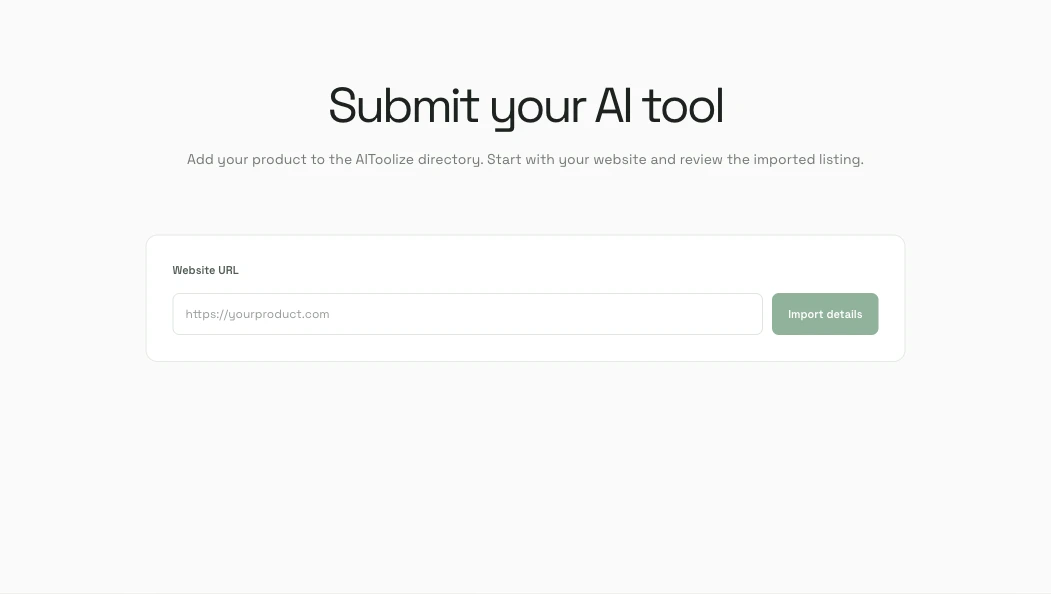
How to submit an AI tool to AIToolize
To submit an AI tool to AIToolize, import a draft from your public product website, check every field, choose a listing plan, and send the corrected details for review. Imported text can miss a feature, price, or category, so verify it before submission.
This guide covers product directory listings. Guest post or link insertion requests follow a separate editorial inquiry; contact AIToolize to ask what options are currently available.
- Open the AIToolize submission form and paste the canonical URL of your product website.
- Choose Import details and wait for the editable draft to appear.
- Check the product name, short description, category, pricing, and destination URL. Correct anything that is outdated or too broad.
- Select Free, Basic, or Pro after reading the current requirements and fees.
- For Free, add the official AIToolize image badge to a public page on the same website and enter that page URL. The server checks the badge when you submit; a passing check sends the listing to editorial review.
Before you submit: prepare a clear product listing
A reviewer and a potential user should be able to understand the product from its public website without guessing. A short, specific description is more useful than a list of broad AI claims.
- Use the stable HTTPS page that best explains or opens the product, not a temporary campaign URL.
- Describe the main job the tool does, who it helps, and what a visitor can try.
- Choose the closest category and state whether the product is free, freemium, paid, or priced by contact.
- Make sure the site loads without an invitation-only login and that its public product details are current.
- Use only logos, screenshots, and copy you have permission to share. Do not include passwords, private customer data, or unpublished claims.
- For a Free listing, decide where the reciprocal AIToolize image badge will appear. Text-only links do not qualify.

Check every imported field before you send it
Treat the imported draft as a time-saving first pass, not as a verified product description. Compare it with your live site and correct the spelling, category, pricing model, and product capabilities. Remove features that are planned but not available, and avoid superlatives that you cannot substantiate.
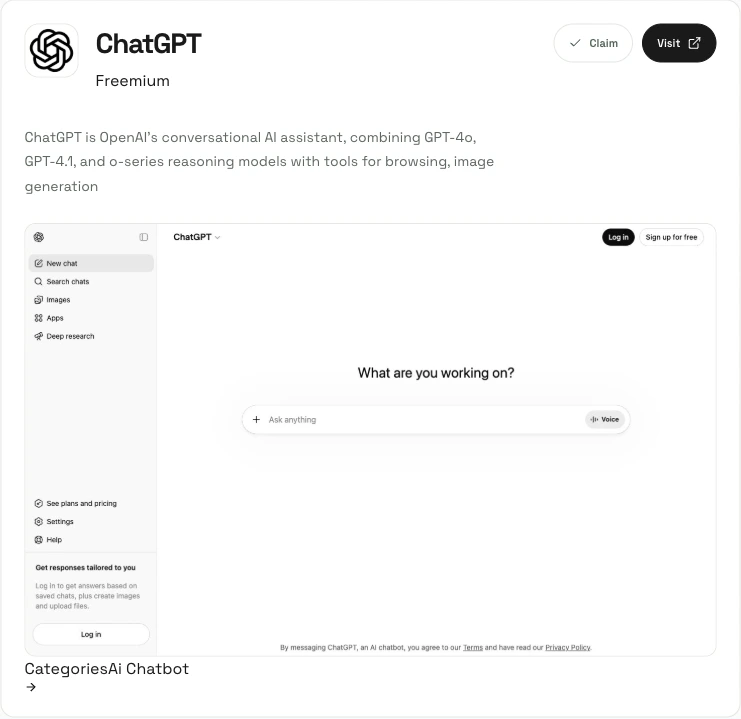
The eventual public detail page can include your product name, summary, category, pricing label, and website preview. The ChatGPT page below is an example of the current AIToolize detail-page layout; your page content and imagery will depend on the materials available for your product.
Compare AIToolize plans and link requirements
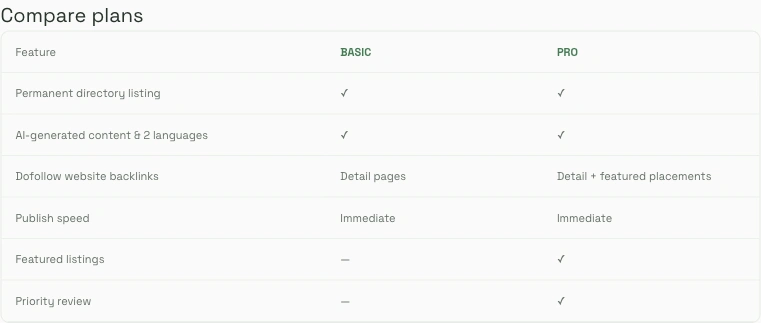
The submission form offers a Free path, and the public pricing page currently lists two one-time paid plans. Amounts and features can change, so use the live page when deciding what to buy. A directory listing can help people discover a product, but no listing or backlink guarantees search rankings or traffic.
- Free: add the official AIToolize image badge to one public page on your website. The server automatically checks it before accepting the submission; the directory listing then receives editorial review. Free directory links are nofollow.
- Basic: currently shown as a $16.90 one-time fee, with a qualified referral link on the tool detail page.
- Pro: currently shown as a $69.90 one-time fee, with Basic features plus featured placement benefits described on the pricing page.
What the editorial review can and cannot promise
AIToolize’s Terms of Service say editors may edit, reject, or remove a listing. A paid plan or a complete submission is not a promise of acceptance, a particular search position, or a fixed amount of referral traffic. Make sure the listing is accurate and that you have the right to share its text and images.
For a Free submission, the server automatically checks the badge before accepting the review request. The paid-plan page currently describes publish speed as immediate and Pro as including priority review; check the live terms and pricing before relying on those labels.

Verify your listing after it goes live
Open the public detail page and check the product name, summary, category, pricing label, logo or preview image, and website destination. Test the destination link in a new tab and confirm that the page describes the same product you submitted. If something changes later, update the source website first, then contact AIToolize with the listing URL or use the listing’s report option.

AIToolize submission FAQs
How long does an AIToolize submission take?
The current pricing page labels Basic and Pro publish speed as immediate. Free listings must pass the automatic badge check before entering editorial review. No acceptance time is guaranteed.
Do I need a backlink to submit a tool?
Free submissions require the official AIToolize image badge on a public page of the same website. The server checks the page before creating the submission. Paid options do not require the badge.
Are the Basic and Pro fees subscriptions?
The pricing page currently describes both as one-time fees. Check the live pricing page for current amounts and conditions.
Will an AIToolize listing improve my Google ranking?
No ranking result is guaranteed. A listing can provide another place for people to find your product, but search visibility depends on many factors outside AIToolize.